ADVERTISING DISCLOSURE: THIS POST CONTAINS AFFILIATE LINKS. READ FULL DISCLAIMER
The Verdict: OnPay is the clearest all-inclusive option in the small business payroll market. One plan, one price ($49 per month plus $6 per employee), multi-state payroll included, no tier upgrades required for HR tools or tax filing. It earns 4.8 out of 5 on Capterra for a reason: the combination of transparent pricing, hands-on onboarding support, and full tax compliance at the base price is genuinely unusual. The limitation is scope: OnPay is purpose-built for small to mid-sized U.S. businesses and does not offer global payroll, advanced HCM, or the PEO services that growing mid-market companies may eventually need.
Last updated May 2, 2026.
In This Review
What OnPay Is
Payroll Without the Tier Headache
OnPay is a cloud-based payroll and HR platform founded in Atlanta, Georgia. It separated from its original parent company in 2015 and has operated as an independent provider since, securing $6 million in Series A funding in 2020 and continuing to expand its team and product footprint. The platform is built around a deliberate philosophy: one price, one plan, no add-ons required for core functionality.
That philosophy is unusual in the payroll market. Most competitors charge base fees plus per-employee rates and then layer multi-state filing, HR tools, and tax filing services behind higher-tier plans. OnPay puts all of it in the base plan. You pay $49 per month plus $6 per employee, and you get full-service payroll, automated tax filings in all 50 states, HR tools, benefits administration support, and unlimited payroll runs. No negotiation required.
The Target User
OnPay is best suited for small to mid-sized U.S. businesses with roughly 1 to 150 employees. It handles specialized payroll scenarios that catch many competitors off guard, including nonprofit and church payroll, agricultural businesses (Form 943 filings), tipped workers in hospitality, and 1099 contractors alongside W-2 employees. If your payroll has any industry-specific complexity, OnPay’s sector coverage is a meaningful differentiator.
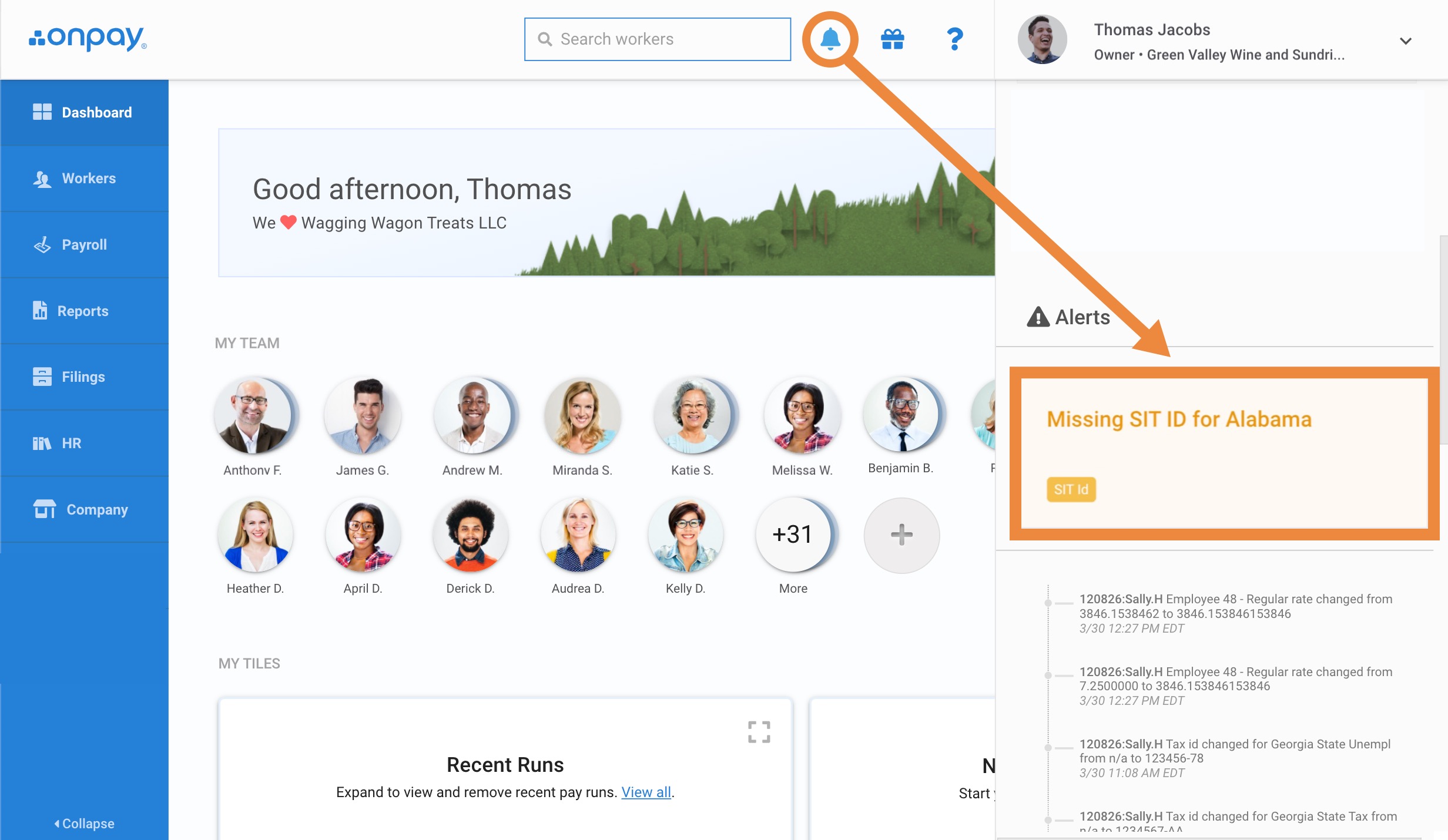
OnPay Pricing
One Plan, Published Online
OnPay does not use tiered pricing. There is one plan, and the price is published on the website. No sales call required to get a number.
| Plan | Price | What’s Included |
|---|---|---|
| OnPay (Single Plan) | $49/mo + $6/employee | Full-service payroll, unlimited payroll runs, automated federal/state/local tax filing in all 50 states, HR tools (onboarding, PTO, org charts, document storage), benefits administration support, employee self-service portal, free account setup and data migration, W-2 and 1099 filing, error-free tax guarantee |
For a 10-employee business, OnPay costs $109 per month. For 25 employees, it is $199 per month. Those numbers do not change based on payroll frequency or the features you use. There are no multi-state surcharges and no year-end form fees. The first month is free.
Note on older pricing: Some review sites and comparison tools still show OnPay’s previous base rate of $40 per month. The current price, confirmed directly from OnPay’s pricing page, is $49 per month plus $6 per employee. If you see $40 quoted elsewhere, the source has not been updated.
See OnPay Pricing and Start Free Trial
Key Features
Payroll Processing
OnPay handles W-2 employees and 1099 contractors in all 50 states with no multi-state upcharge. It supports weekly, biweekly, semi-monthly, and monthly pay schedules, with unlimited payroll runs included. Payment options include direct deposit, paper checks, and pay cards. The platform also handles specialized pay items: bonuses, split roles at different pay rates, cash and card tips, and garnishments.
Multi-state payroll is included at no extra cost, which is one of the most commonly cited reasons users switch from Paychex or other tiered providers where multi-state charges are significant add-ons.
Tax Filing and Compliance
OnPay automatically calculates, withholds, and remits federal, state, and local payroll taxes. All quarterly and year-end filings are included, including W-2s and 1099s. OnPay backs this with an error-free guarantee: if OnPay makes a tax filing mistake, they handle the tax agency directly, including paying any resulting penalties. This guarantee is one of the clearer commitments in the small business payroll market.
HR Tools
The HR layer in OnPay is more substantial than its price point suggests. All plans include employee self-service portals, digital onboarding with in-app I-9 and W-4 forms and e-signatures, PTO tracking and approvals, org charts, direct messaging, document storage, compliance audits, and an HR resource library. Competitors often lock these features behind mid-tier or higher plans. OnPay includes them at the base price.
Benefits Administration
OnPay is licensed to administer benefits in all 50 states. Through the platform, employers can set up and administer health, dental, vision, and 401(k) plans. In-house licensed benefits specialists support the process, and plan premiums tie directly into payroll calculations. This is not a marketplace referral but a genuine in-house benefits administration capability, which is uncommon for a single-plan product at this price point.
Sector-Specific Payroll
OnPay handles payroll scenarios that generic tools often miss or handle poorly. It supports nonprofit and church payroll, agricultural worker payroll with Form 943 filings, tipped worker payroll in hospitality, and both W-2 and 1099 workers in the same pay run. Businesses in these sectors frequently report switching to OnPay specifically because larger platforms could not handle these cases cleanly.
Where OnPay Stands Out
Onboarding Support
OnPay’s onboarding experience is consistently one of the most praised aspects of the platform. New accounts are assigned a dedicated onboarding specialist, not a chatbot or a generic support queue. OnPay’s team will import your prior wage data, enter employee information, and walk you through setup. For businesses switching from another provider mid-year with payroll history to transfer, this human-led onboarding process is a significant practical advantage.
Accountant and Bookkeeper Relationships
OnPay has built a formal Partner Program for accountants and bookkeepers, offering free payroll for the accountant’s own firm, discounts or revenue sharing on client accounts, free CPE credits, and dedicated onboarding resources for new clients. Reviews from accountants consistently cite the QuickBooks integration and the simplicity of adding and managing multiple clients as key reasons they recommend OnPay. If your bookkeeper already works with OnPay, setup and ongoing support will be faster.
Transparent, Predictable Cost
In a category where competitors obscure pricing behind sales calls, per-state surcharges, and year-end billing surprises, OnPay’s single published price is genuinely refreshing. You can calculate your exact monthly cost in 30 seconds on the OnPay pricing page. No negotiation, no hidden fees, no early termination penalties.
Where OnPay Falls Short
No Dedicated Mobile App
OnPay’s interface is mobile-friendly and works in a browser on any device, but there is no dedicated native iOS or Android app. For business owners who want to run payroll or approve time-off requests from a phone app rather than a mobile browser, this is a meaningful gap. Competitors like Gusto and Paychex have dedicated mobile apps.
Limited Third-Party Integrations
OnPay integrates with QuickBooks Online, QuickBooks Desktop, Xero, QuickBooks Time (formerly TSheets), Deputy, When I Work, and a handful of benefits and HR tools. That list covers the most common needs, but it is notably shorter than the integration libraries of larger platforms. Businesses with existing stacks built around niche tools may find connection points missing.
Direct Deposit Timing
OnPay’s standard ACH transfer takes two to four business days to clear. This is not unusual for the category, but competitors like Gusto offer next-day direct deposit on eligible accounts. If payday timing is tight, this lead time requires planning ahead.
No Global Payroll
OnPay is a U.S.-only platform. If you employ contractors or workers in other countries, you will need a separate solution. Platforms like Deel or Remote handle international payroll; OnPay does not.
What Real Users Say
OnPay holds a 4.8 out of 5 on Capterra across over 460 verified reviews, placing it among the highest-rated payroll platforms on that platform. Ratings on G2 are similarly strong, with “Outstanding” labels and top-rated marks in ease of use, customer support, and value for money.
Common praise: Reviewers consistently highlight three things: the ease of onboarding, the quality of customer support, and the all-in pricing. Many reviewers describe switching from Paychex, Gusto, or SurePayroll and being surprised by how much faster setup was and how directly support questions were answered. Long-tenured users (two-plus years) describe the platform as reliable and the tax filing automation as a genuine load off their plate.
Common complaints: The absence of a native mobile app is the single most frequently mentioned limitation. A smaller number of reviewers report frustration with specific support tickets going unanswered (more common in edge cases and setup scenarios), and some users note that customization options are limited compared to enterprise platforms. A minority of reviews on Trustpilot and the BBB describe more significant support failures, though these are not the dominant pattern.
Who Should Use OnPay
- Small to mid-sized U.S. businesses (roughly 1 to 150 employees) that want all-inclusive payroll and HR without tiered plan complexity
- Businesses operating in multiple states that are paying multi-state surcharges on another platform and want that cost eliminated
- Nonprofits, restaurants, farms, and other sectors with specialized payroll needs that generic tools handle poorly
- Bookkeepers and accountants managing payroll for multiple small business clients who want a clean, partner-friendly platform
- First-time payroll buyers who want to understand their cost before speaking to anyone in sales
Who Should Not Use OnPay
- Businesses that need global or international payroll for overseas employees or contractors
- Larger organizations (150-plus employees) that need advanced HCM, workforce analytics, or PEO services
- Businesses that require a native mobile app for payroll and HR management on the go
- Companies with deep integration requirements involving niche or industry-specific tools not in OnPay’s connector library
OnPay vs. Alternatives
| Platform | Best For | Starting Price | Key Difference |
|---|---|---|---|
| OnPay | All-inclusive single-plan payroll for small/mid businesses | $49/mo + $6/employee | No tiers, multi-state included, sector-specific payroll |
| Gusto | Small businesses wanting modern HR + payroll | $49/mo + $6/employee | Stronger HR feature set, next-day deposit, native mobile app |
| Patriot Payroll | Very small businesses at lowest possible price | $17/mo + $4/employee | Cheapest full-service option, minimal HR layer |
| Paychex | Growing businesses needing compliance depth and PEO | ~$39/mo + $5/employee | 50-year track record, PEO option, opaque pricing |
Quick Pick Guide
- If you want payroll and HR in one plan with no tier decisions, OnPay is built for that exact scenario.
- If you need a native mobile app for running payroll from your phone, choose Gusto instead.
- If your business is very small (under 5 employees) and cost is the primary driver, Patriot Payroll costs less at $17 base.
- If you have employees in multiple states and are currently paying multi-state surcharges, switching to OnPay often reduces your monthly cost meaningfully.
- If you are a bookkeeper managing multiple small business clients, OnPay’s Partner Program is worth evaluating before defaulting to Gusto or QuickBooks Payroll.
Popular Integrations
OnPay’s integration library is more selective than larger platforms but covers the most common small business needs.
Accounting: QuickBooks Online, QuickBooks Desktop, Xero
Time Tracking: QuickBooks Time (formerly TSheets), Deputy, When I Work
HR and Compliance: Mineral (formerly ThinkHR) for HR guidance and compliance alerts, PosterElite for labor law posting compliance
Benefits: Licensed in-house benefits specialists for health, dental, vision, and 401(k) plan setup and administration (not a marketplace; direct administration)
Frequently Asked Questions
Does OnPay offer a free trial?
Yes. OnPay offers the first month free for new accounts. No credit card is required to start the trial, and the free setup and data migration assistance is included from day one.
How much does OnPay cost for a 10-person company?
$109 per month ($49 base plus $6 times 10 employees). There are no add-on fees for multi-state payroll, HR tools, or tax filing. That number is your full monthly cost unless you add optional benefits administration (which involves premiums paid to insurance carriers, not to OnPay).
Is OnPay worth it, or should I use Gusto instead?
Both are strong options at similar price points. The practical differences are: Gusto has a stronger HR product with more features (including a native mobile app and next-day deposit), while OnPay handles specialized sector payroll (nonprofits, agricultural, tipped workers) more cleanly and has a stronger partner relationship for accountants. If you need next-day direct deposit or a robust mobile app, Gusto has the edge. If you are in a specialized industry or your accountant prefers OnPay, the platform will serve you well at a comparable cost.
Can OnPay handle payroll in multiple states?
Yes, and there is no additional charge. Multi-state payroll is included in the standard plan at no extra cost. This is one of the most common reasons users switch from Paychex, which typically charges for multi-state filing as an add-on.
How long does OnPay take to implement?
Most businesses are fully operational within a few business days. OnPay assigns an onboarding specialist who can import prior year-to-date payroll data, enter employee information, and configure your settings. The process is typically faster than competitors because OnPay does much of the setup work for you.
Is OnPay’s HR functionality good enough to replace a dedicated HR tool?
For small to mid-sized businesses, OnPay’s HR layer covers the essentials: onboarding, PTO management, document storage, org charts, and compliance alerts. It is not a full HCM platform and does not include performance management, recruiting, or workforce analytics. If those are requirements, a dedicated HR platform like BambooHR would need to run alongside payroll.
Does OnPay integrate with QuickBooks?
Yes, OnPay integrates with both QuickBooks Online and QuickBooks Desktop. The QuickBooks Online integration is one of the most commonly used and is frequently cited in reviews as a strong connection that reduces manual data entry.
Is OnPay HIPAA compliant?
OnPay handles payroll and HR data rather than medical records, so HIPAA is not directly applicable to its core payroll functions. Businesses in healthcare should confirm data handling practices with OnPay directly for any scenarios where employee health plan information is processed through the platform.
Does OnPay offer a discount for nonprofits?
OnPay does not advertise a nonprofit-specific discount, but it does include nonprofit payroll handling (including exempt organization tax filings and church payroll) within the standard single plan at no extra charge. For nonprofits, the all-inclusive pricing is often a better value than competitors that charge add-on fees for specialized filing types.
What is OnPay’s cancellation policy?
OnPay is a month-to-month subscription with no long-term contracts and no early termination fees. You can cancel at any time. This is a significant advantage over providers like Paychex that use annual contracts with documented termination fees.
Can OnPay replace a dedicated 401(k) administrator?
OnPay can set up and administer 401(k) plans and connects plan contributions directly to payroll. It works through in-house licensed benefits specialists. For small businesses without an existing retirement plan administrator, OnPay’s benefits administration can handle this function. For businesses with complex plan designs or existing administrator relationships, OnPay can integrate with external plan administrators but may not replace a specialist entirely.
Is OnPay right for restaurants and hospitality businesses?
Yes. OnPay handles tipped worker payroll, including tip allocation, credit card tip reporting, and tip credit calculations against minimum wage. This is a scenario that many payroll tools handle poorly or require manual workarounds for. Hospitality businesses looking for a clean, affordable payroll solution for tipped staff consistently rate OnPay highly for this capability.
Final Verdict
OnPay has figured out what most small businesses actually want from payroll software: everything included, price published upfront, no surprises at year-end, and a human being who helps you get set up. The platform earns its high user ratings because the core promise is real. You sign up, a specialist gets you running, your taxes are filed automatically, and your monthly bill matches what the website said it would be.
The platform’s ceiling is its honest limitation. If you need global payroll, a native mobile app, advanced workforce analytics, or a PEO arrangement, OnPay is not built for those use cases. But for the vast majority of small to mid-sized U.S. businesses, those are not the immediate problems to solve. The immediate problems are getting payroll done correctly, staying compliant across states, and not being billed for things you did not realize you agreed to. OnPay solves all three.
Last updated on May 3, 2026