ADVERTISING DISCLOSURE: THIS POST CONTAINS AFFILIATE LINKS. READ FULL DISCLAIMER
The Verdict: Paylocity is a solid mid-market HR and payroll platform for teams of roughly 50 to 1,000 employees. It covers payroll, time and attendance, benefits administration, onboarding, and employee engagement in one place, and it holds a 4.4/5 rating on G2 across nearly 2,800 reviews. The main friction points are opaque pricing, a sometimes rough implementation experience, and feature costs that grow as you add modules. It is not the right fit for small businesses under 50 employees or solo payroll operators who want transparent flat-rate pricing.
Last updated May 3, 2026.
In This Review
What Paylocity Is
Paylocity is a cloud-based human capital management (HCM) platform that covers the full employee lifecycle from recruiting and onboarding through payroll, benefits administration, time tracking, and performance management. It is built for mid-sized organizations, meaning companies with roughly 50 to 1,000 employees that have outgrown simple payroll tools but are not yet at the scale where enterprise platforms like Workday or SAP SuccessFactors make sense.
Founded in 1997 and publicly traded on NASDAQ, Paylocity has consistently ranked as a G2 Leader in the human capital management category for over 25 consecutive quarters. The platform’s core value proposition is consolidation: replacing a fragmented stack of separate payroll, HR, time tracking, and benefits tools with one integrated system that shares a single employee record.
How Paylocity Differs from Basic Payroll Tools
Paylocity is not a simple payroll processor. Tools like Gusto or QuickBooks Payroll are purpose-built for small businesses that need to run payroll, file taxes, and manage basic HR. Paylocity adds layers on top of that foundation that matter specifically to HR professionals: structured onboarding workflows, compliance tracking, workforce analytics, employee engagement surveys, peer recognition tools, a community hub, and headcount planning dashboards.
If your organization’s primary need is just running payroll cleanly, Paylocity is likely more platform than you need. If your payroll manager is also handling benefits open enrollment, tracking time across multiple departments, and trying to build a more structured onboarding process, Paylocity starts to earn its cost.
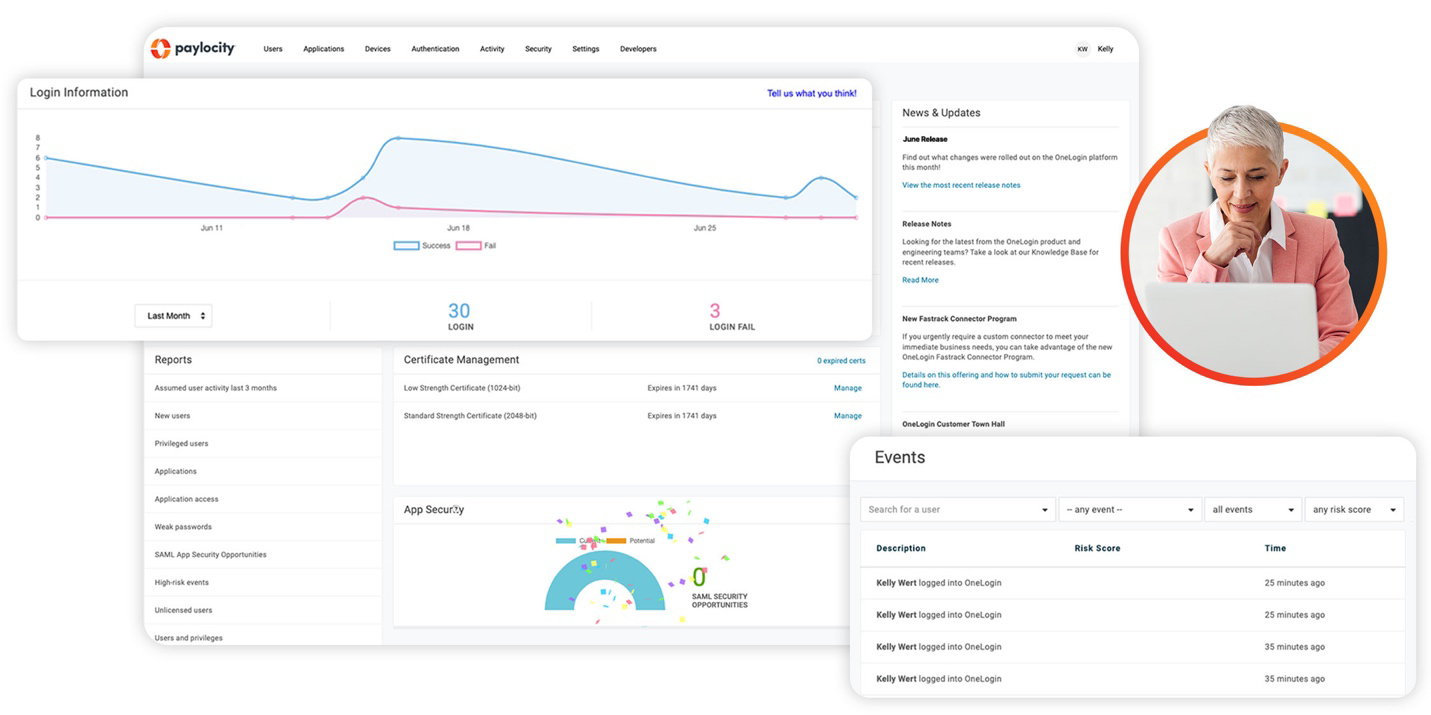
Source: paylocity.com
Paylocity Pricing
Paylocity does not publish pricing on its website. All pricing is custom, based on a per-employee-per-month (PEPM) model, and requires a demo and quote from the sales team. This is standard practice for mid-market HCM platforms, but it does make direct comparison harder for buyers.
| What We Know | Details |
|---|---|
| Pricing model | Per employee per month (PEPM), custom quote required |
| Estimated range | Approximately $22 to $32 per employee per month, depending on features selected (third-party estimates; confirm directly with Paylocity) |
| Setup fee | Commonly reported as 10 to 20% of annual software fee; negotiate this during the sales process |
| Contract length | Typically annual; multi-year contracts may be available with discounts |
| Free trial | Not available; demo required to evaluate |
Negotiating tip: Paylocity’s pricing is modular, meaning you only pay for the features you select. The setup fee is frequently a negotiation point. Come to the sales conversation knowing your employee count, which modules you need, and what you are currently paying, and be willing to negotiate the implementation fee directly. Several users in G2 reviews noted they were able to have setup fees reduced or waived entirely.
For context, a team of 100 employees on a mid-range feature set at $25 PEPM would pay approximately $2,500 per month, or $30,000 per year, before any add-ons. That is a meaningful budget line, which is why Paylocity is generally not the right choice for businesses under 50 employees.
Key Features
Payroll Processing
Payroll is Paylocity’s foundation. The platform handles payroll processing, automated tax calculations, direct deposit, wage garnishments, and year-end W-2 generation across all US states. Multi-entity payroll (for organizations with more than one legal entity) is supported, which matters for holding companies and nonprofits with separate operating entities.
A notable addition is the flexible three-step payroll submission workflow introduced in 2024, designed to reduce processing time and give administrators a clearer view of what is being processed before submission. Automated pre-submission checks flag inconsistencies, missing entries, and compliance issues before payroll runs, which reduces costly post-processing corrections.
W-2 filing fee: Paylocity charges per employee for W-2 filing at year end. This is not included in the base PEPM rate. Get this number during your pricing conversation so it does not surface as a surprise in December.
Time and Attendance
Time collection options include mobile clock-in, web browser entry, kiosk terminals, and physical time clocks. Geofencing is available for location-based clock-in enforcement, which is useful for organizations with field staff or multiple physical sites. Approved time flows directly into payroll, eliminating the manual import step that causes errors in disconnected systems.
Scheduling tools are included for organizations that need to manage shift-based workforces. Employees can view schedules, swap shifts, and request time off through the self-service portal or mobile app without touching the HR inbox.
Benefits Administration
Paylocity includes a full benefits administration module covering medical, dental, vision, FSA, HSA, COBRA, and ACA compliance. Open enrollment is managed entirely within the platform, with employees making elections through a self-service portal that guides them through their options. Benefits data syncs directly to payroll, so deductions update automatically when elections change.
The platform also connects to a carrier marketplace, allowing administrators to access benefit plan options from third-party carriers without leaving Paylocity. Some reviewers note that the benefits module can feel somewhat separate from the core HRIS and payroll interface, which adds navigation friction during open enrollment season.
Onboarding and HR Workflows
Onboarding in Paylocity is structured and customizable. New hire workflows can be built with task assignments, document collection, e-signatures, and training steps, all triggered automatically when a new employee record is created. For organizations that have historically run onboarding through email threads and shared drives, this is a meaningful operational upgrade.
HR document management, policy acknowledgment tracking, and compliance dashboards are included in the HR module. Templated workflows reduce the risk of skipping a step during high-volume hiring periods.
Employee Engagement Tools
This is where Paylocity goes further than most payroll-first platforms. The Community hub is a built-in social collaboration space that allows company-wide announcements, peer-to-peer recognition, team channels, and video posts. Employee engagement surveys and sentiment analysis are included, giving HR managers visibility into workforce morale beyond what performance reviews capture.
On-demand pay (the ability for employees to access earned wages before payday) is available as a feature, which has become an increasingly common employee benefit in competitive hiring markets.
Reporting and Analytics
Reporting is one of Paylocity’s more consistently praised features. The platform includes a library of standard reports covering payroll, headcount, turnover, compensation, and benefits utilization, plus the ability to build custom reports. A headcount planning dashboard added in recent years lets HR and finance teams model workforce scenarios against budget, which is useful during annual planning cycles.
Where Paylocity Stands Out
All-in-One Depth for Mid-Market Teams
Most payroll tools in the $5 to $15 PEPM range (Gusto, Patriot, OnPay) offer payroll plus basic HR. Paylocity delivers a genuine full-suite platform at the mid-market level without requiring the scale or budget of Workday or SAP SuccessFactors. For a 100-person company that wants recruiting, onboarding, payroll, time tracking, benefits, performance management, and employee engagement under one roof, Paylocity is one of the more complete options available.
Employee Self-Service Is Strong
The employee-facing experience receives consistent praise in reviews. Employees can view pay stubs, request time off, update direct deposit information, enroll in benefits, and access company announcements from the mobile app without contacting HR. This reduces the administrative load on payroll and HR staff significantly, particularly in organizations with a high volume of routine employee inquiries.
Continuous Feature Development
Paylocity has a strong track record of shipping new features based on user feedback. The Paylocity user community (called Community) is an active channel where clients submit feature requests, and the product team regularly references it in release notes. Users who have been on the platform for multiple years frequently cite ongoing improvement as one of the reasons they stay.
Compliance Support
Automated tax table updates, ACA compliance tracking, COBRA administration, and multi-state payroll compliance are all handled within the platform. For a payroll manager supporting employees across multiple states, this reduces the manual compliance research burden significantly. Paylocity also responded quickly when legislation like the 2025 overtime provisions required new reporting, which several G2 reviewers specifically called out as a positive.
Where Paylocity Falls Short
Pricing Is Not Transparent
This is the most common friction point for buyers evaluating Paylocity. There are no published prices, no self-serve trial, and no way to estimate cost without going through a sales conversation. For a payroll manager trying to build a business case internally or compare options efficiently, that is a real obstacle. Competitors like Gusto publish flat rates; Paylocity requires a demo to get any number.
The modular pricing structure also means the quote you receive at the start of your contract can look quite different from what you pay once you add the features you actually need.
Implementation Can Be Rocky
Implementation is the most polarizing aspect of Paylocity in user reviews. Some administrators describe a smooth, well-supported onboarding process. Others report a difficult first six months with data migration errors, misconfigured settings, and limited support responsiveness during the critical early period.
Implementation reality check: Capterra reviews from 2025 include specific reports of direct deposits going to wrong accounts, PTO balances not migrating correctly, and 401k contribution rates transferred as flat amounts instead of percentages. These are not universal experiences, but they are frequent enough to take seriously. Build an implementation checklist, run a parallel payroll for at least one cycle before going live, and verify every employee record before your first live payroll run.
Module Integration Can Feel Fragmented
Despite being an all-in-one platform, some reviewers note that certain modules, particularly benefits administration, can feel disconnected from the core payroll and HRIS interface. Navigating between modules requires context switching that would not be necessary in a more tightly integrated system. This is a common critique of platforms that have grown through product additions over time rather than building every module from a unified foundation.
Customer Support Quality Varies
Paylocity’s support receives mixed reviews. Many users praise the dedicated support team and fast response times. Others report that support quality depends heavily on the specific representative assigned to their account. Year-end tax season is frequently cited as a period when support response times slow noticeably, which is exactly when payroll administrators need the most help.
Not Right for Small Teams
The pricing model, implementation complexity, and feature depth all assume a team large enough to justify the investment. For businesses under 50 employees, Paylocity is likely oversized and overpriced. The feature set becomes justifiable when you have enough employees to generate real HR operational volume, not before.
What Real Users Say
Paylocity holds a 4.4/5 rating on G2 across nearly 2,800 verified reviews, with consistent recognition as a G2 Leader for 27 consecutive quarters as of mid-2025. Capterra reviews follow a similar pattern.
Common praise: Users consistently highlight the all-in-one depth, the quality of the reporting suite, the employee self-service experience, and the mobile app. Long-term users frequently reference Paylocity’s continuous improvement and responsiveness to product feedback. Administrators who have come from ADP or Paychex frequently describe Paylocity as easier to use and better priced for comparable functionality.
Common complaints: Implementation errors and data migration issues appear in a significant portion of critical reviews. The opacity of pricing and unexpected add-on costs are recurring themes. Some users report platform outages or slow load times during peak periods. Customer support quality is described as inconsistent, particularly during year-end tax season.
Who Should Use Paylocity
- Payroll managers at mid-sized organizations (50 to 1,000 employees) who need payroll, time tracking, benefits administration, and HR workflows under one roof without building a separate software stack for each function.
- HR teams replacing fragmented systems where payroll, time tracking, and benefits are currently handled by separate tools that do not talk to each other cleanly.
- Organizations that have outgrown Gusto or basic payroll tools and need more structured onboarding workflows, multi-state compliance support, and employee engagement capabilities.
- Companies in competitive hiring markets that want employee engagement tools, on-demand pay, and recognition features built into the HR platform rather than added separately.
- Multi-state or multi-entity employers who need a platform that handles payroll compliance across jurisdictions without manual tax table management.
Who Should Not Use Paylocity
- Small businesses under 50 employees where the pricing, implementation complexity, and feature depth are not proportionate to actual HR operational volume. Gusto or OnPay will serve these teams better at lower cost.
- Organizations that need fully transparent, self-serve pricing before engaging a sales team. Paylocity requires a demo to get any cost information.
- Teams with tight implementation timelines that cannot absorb a potentially rocky data migration period. Plan for 3 to 6 months from contract to live payroll.
- Businesses with very specific global payroll needs beyond the US. While Paylocity supports global payroll through in-country partners in 145+ countries, dedicated global platforms like Deel or Remote have a stronger native international footprint.
Paylocity vs. Alternatives
| Platform | Best For | Starting Price | Key Difference |
|---|---|---|---|
| Paylocity | Mid-market teams (50 to 1,000 employees) | Custom quote (~$22 to $32 PEPM) | Full HCM suite with employee engagement tools; strongest at 50 to 500 employees |
| Gusto | Small businesses (under 50 employees) | $40/month + $6/employee | Transparent pricing, simpler interface, faster setup; less depth in HR and engagement features |
| ADP Workforce Now | Mid-market to enterprise | Custom quote | Broader enterprise feature set; often cited as more expensive and harder to use than Paylocity |
| Rippling | Tech-forward teams wanting HR and IT unified | Custom quote (~$8/employee/month base) | Adds IT management and device provisioning alongside HR; more modular but more complex to configure |
| Deel | Teams with international contractors or employees | $49/contractor/month | Built natively for global payroll and EOR; Paylocity’s global coverage relies on third-party partners |
Quick Pick Guide
- You have 50 to 500 employees and need payroll, benefits, time tracking, and HR in one place: Paylocity is worth requesting a demo.
- You have fewer than 50 employees and want straightforward payroll with transparent pricing: Gusto is the better starting point.
- Your team is growing fast and you want HR and IT management unified: Rippling handles both in ways Paylocity does not.
- You have significant international hiring needs: Deel has a stronger native global infrastructure than Paylocity.
- You are replacing ADP Workforce Now and want to stay in the same tier: Paylocity is one of the most common upgrades from ADP for mid-market teams, and frequently cited as easier to use at lower cost.
Popular Integrations
Paylocity supports over 350 integrations through its partner network. Key connections that matter most to HR and payroll teams include:
- Accounting: QuickBooks Online, Xero, Sage Intacct, NetSuite
- Benefits carriers: Direct carrier connections for major medical, dental, vision, and 401k providers
- Recruiting and ATS: Greenhouse, Lever, iCIMS, JazzHR, BambooHR
- Time and scheduling: Tracks, When I Work, Deputy
- Learning management: Absorb LMS, Litmos
- Workforce management: Workday (data sync), UKG
- Communication: Slack (notifications and approvals)
- IT and security: Microsoft Azure AD, Okta (SSO and directory sync)
Frequently Asked Questions
How much does Paylocity cost for a 50-person company?
Paylocity does not publish pricing. Based on third-party estimates, a 50-person team on a standard feature set would likely pay between $1,100 and $1,600 per month, plus a setup fee. Get a direct quote from Paylocity’s sales team for an accurate number, and ask specifically about the implementation fee during the conversation.
Is Paylocity worth it, or should I use Gusto instead?
It depends on team size and operational complexity. For teams under 50 employees, Gusto is almost always the better choice: simpler, faster to set up, and transparently priced. For teams between 50 and 500 employees that need structured onboarding, multi-state compliance, benefits administration, and employee engagement tools, Paylocity’s depth justifies the higher cost and complexity.
How long does Paylocity take to implement?
Industry estimates for mid-market HRIS implementations are 3 to 6 months. Paylocity’s own implementation team guides the process, but the timeline depends heavily on data quality, the number of modules being set up, and how many pay schedules and legal entities are involved. Plan for at least one parallel payroll cycle before going fully live.
Does Paylocity integrate with QuickBooks?
Yes. Paylocity integrates with QuickBooks Online for payroll journal entry exports, allowing payroll data to flow directly into the accounting platform. This is one of the more commonly used integrations for mid-sized businesses that use QuickBooks as their accounting system.
Can Paylocity handle multi-state payroll?
Yes. Multi-state payroll, including automatic state tax table updates and state-specific compliance requirements, is handled within the platform. This is one of the areas where Paylocity is stronger than basic payroll tools like Gusto, which charges additional fees for multi-state filings.
Does Paylocity handle international payroll?
Paylocity supports global payroll through in-country partners in over 145 countries. This is functional, but it relies on third-party relationships rather than owned infrastructure. For organizations with significant international headcount, Deel or Remote have stronger native global payroll and employer of record capabilities.
Is Paylocity HIPAA compliant?
Paylocity handles sensitive employee data including benefits information, and maintains security certifications appropriate for that data. For specific HIPAA compliance documentation applicable to your use case, contact Paylocity directly, as compliance scope depends on how the platform is configured and what data is processed.
Does Paylocity offer a free trial?
No. Paylocity does not offer a self-serve free trial. Evaluation happens through a demo process with the sales team. Some organizations negotiate a sandbox environment during implementation to test configurations before going live.
What is Paylocity’s cancellation policy?
Paylocity contracts are typically annual. Cancellation terms, including any early termination provisions, are specified in the contract and vary. Review contract terms carefully before signing, particularly around auto-renewal clauses and notice periods.
Can Paylocity replace a dedicated applicant tracking system?
Paylocity includes recruiting tools that cover job posting, applicant tracking, and offer letters, which is sufficient for many mid-sized organizations running straightforward hiring processes. For high-volume recruiting operations or organizations with complex hiring workflows, a dedicated ATS like Greenhouse or Lever will have more depth, but Paylocity integrates with both if you need to keep a separate ATS.
Is Paylocity right for nonprofits?
Paylocity serves nonprofits and is used by organizations in that sector. Nonprofit-specific pricing may be available; ask the sales team directly. The platform’s grant-based reporting and multi-entity payroll capabilities are relevant for nonprofits operating across multiple programs or funding sources.
How does Paylocity compare to ADP Workforce Now?
Both are mid-market to enterprise HCM platforms with overlapping feature sets. Users who have switched from ADP to Paylocity frequently describe Paylocity as easier to navigate and better priced for comparable functionality. ADP has a longer track record and a broader enterprise product family, but its interface and support model receive more criticism in reviews than Paylocity’s.
Final Verdict
Paylocity is a well-built mid-market HCM platform that delivers genuine breadth across payroll, HR, time and attendance, benefits, and employee engagement. For payroll managers at organizations of 50 to 500 employees, it is one of the more complete options available at its price point, and its consistent G2 Leader ranking across more than 25 consecutive quarters reflects real user satisfaction, not just marketing.
The honest limitations are worth naming clearly. Pricing opacity makes comparison shopping harder than it should be. Implementation can be rocky, and data migration errors in those early months are a recurring theme in critical reviews. Customer support quality is inconsistent, particularly during peak periods. And for smaller teams, the cost and complexity outpace the actual need.
If your organization is in the 50 to 500 employee range, has outgrown simpler payroll tools, and is ready for a proper implementation process, Paylocity deserves to be on your shortlist. Request the demo, come with your employee count and current tools in hand, and negotiate the setup fee before you sign.
Visit Paylocity’s Official Site
Last updated on May 4, 2026