ADVERTISING DISCLOSURE: THIS POST CONTAINS AFFILIATE LINKS. READ FULL DISCLAIMER
The Verdict: Gusto is the best payroll and HR platform for small businesses that want automated tax filing, built-in benefits administration, and unlimited payroll runs without worrying about per-user costs. Not ideal if you need enterprise-grade HR features, operate in more than a few states without upgrading to Plus, or require instant customer support. Pricing starts at $49/month base plus $6 per employee (raised from $40 in March 2026).
Last updated May 1, 2026.
In This Review
What Gusto Is
Gusto is a cloud-based payroll and HR platform built specifically for small to medium-sized businesses. Founded in 2012 as ZenPayroll, the company now serves over 400,000 businesses and handles payroll, benefits administration, time tracking, and compliance automation from a single interface.
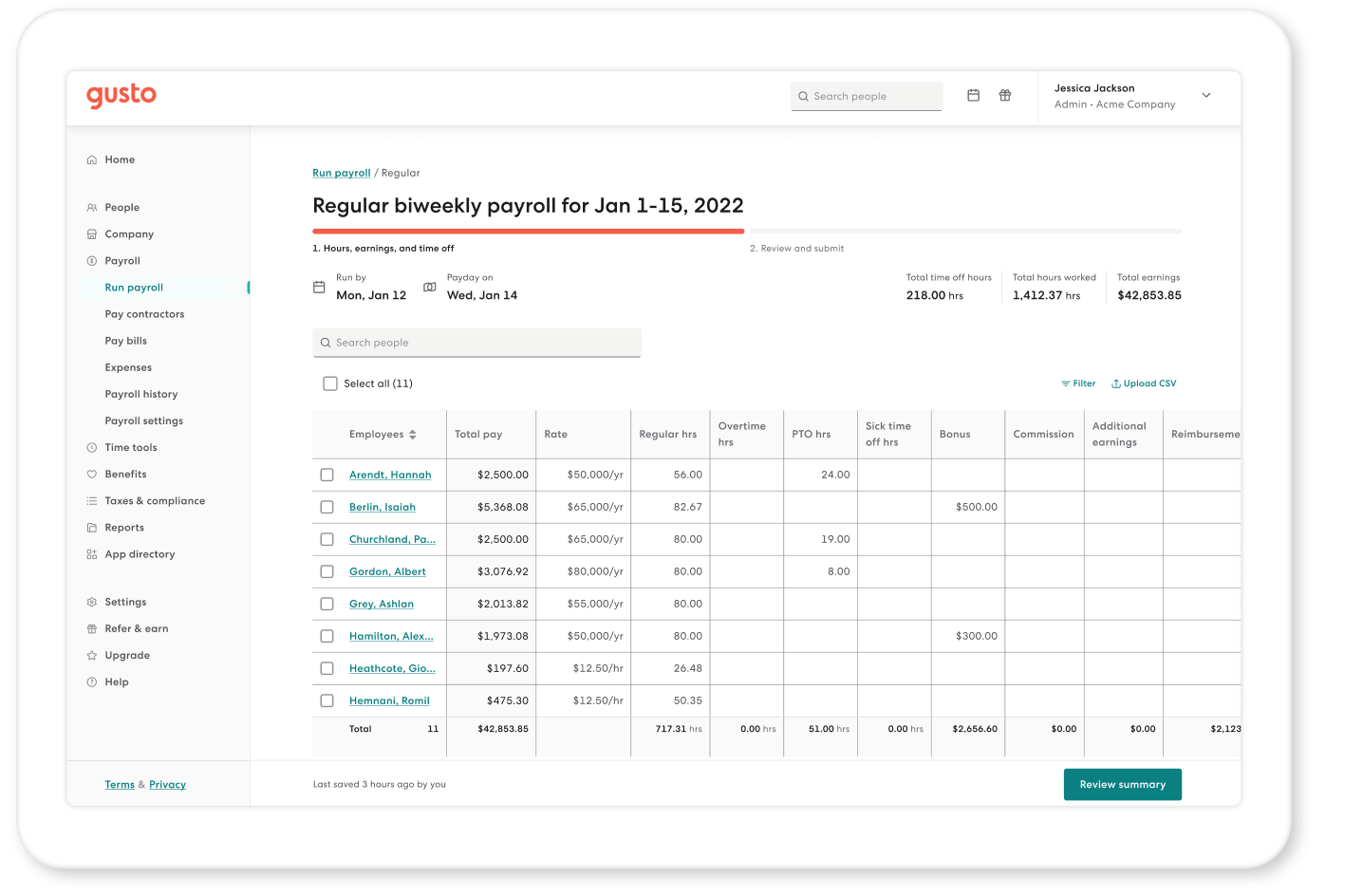
The platform automates the entire payroll process, from calculating wages and deductions to filing federal, state, and local taxes. Gusto handles W-2s and 1099s at year-end, processes direct deposits, and manages employee self-service portals where team members can access pay stubs, update tax withholdings, and request time off.
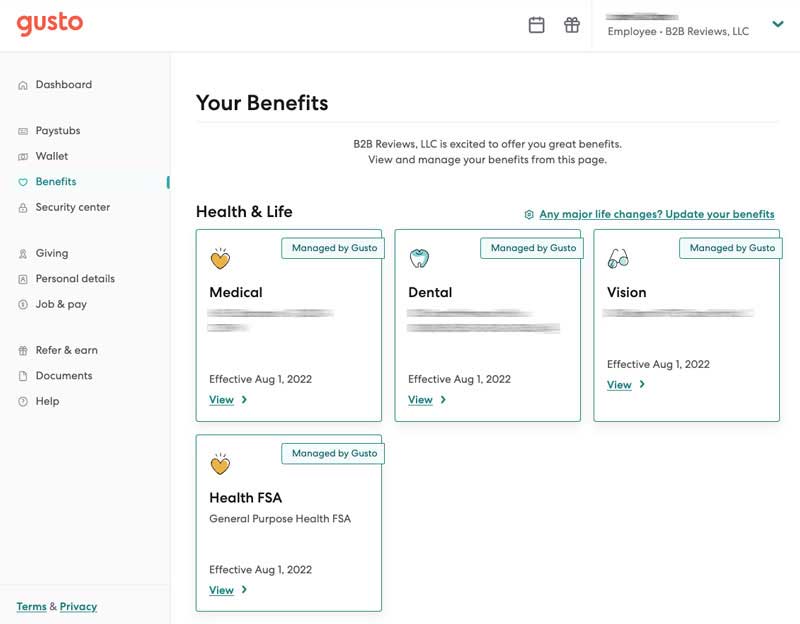
Beyond payroll, Gusto administers health insurance, dental, vision, 401(k) plans (through its Guideline partnership), workers’ compensation, and other employee benefits. The platform positions itself as an all-in-one people platform, consolidating tools that small businesses typically juggle across multiple vendors.
Gusto Pricing
Gusto uses a base-plus-per-person pricing model. All plans include unlimited payroll runs and automated tax filing. As of March 2026, Gusto raised the Simple plan base fee by 23%, from $40 to $49 per month.
| Plan | Price | What’s Included |
|---|---|---|
| Contractor Only | $35/month + $6 per contractor | For businesses with no W-2 employees. Handles 1099 contractors only. |
| Simple | $49/month + $6 per employee | Full-service payroll, automated tax filing, employee self-service, basic benefits admin, single-state operations |
| Plus | $80/month + $12 per employee | Everything in Simple plus multi-state payroll, time tracking, next-day direct deposit, PTO management, performance reviews |
| Premium | $180/month + $22 per employee | Everything in Plus plus dedicated support, HR resource center, certified HR advisors, advanced reporting, priority support |
For a 10-person team, Simple costs $109/month, Plus costs $200/month, and Premium costs $400/month. The jump from Simple to Plus doubles your per-employee cost, but you gain multi-state compliance, time tracking, and next-day deposits.
Important: Gusto raised Simple pricing 23% in March 2026. If you’re on a legacy plan, expect pricing to migrate to the new structure at renewal. Add-ons like 401(k) administration and health insurance broker fees are billed separately.
Key Features
Automated Payroll and Tax Filing
Gusto calculates payroll automatically based on hours worked, salaries, bonuses, and deductions. The platform handles federal, state, and local tax calculations, files quarterly returns (941, 940), and submits year-end forms (W-2s, 1099s) without manual intervention.
Tax filing is included on all plans. Gusto debits your company account for tax payments and employee net pay, typically two business days before payday. If a state notice arrives, you upload it to Gusto’s tax help center, and their compliance team resolves it.
Benefits Administration
Gusto administers health insurance (medical, dental, vision), FSAs, HSAs, commuter benefits, and life insurance. You can work with Gusto’s licensed brokers to select plans, or integrate your existing broker at no additional cost on Premium plans (or $6/month per eligible employee on lower tiers).
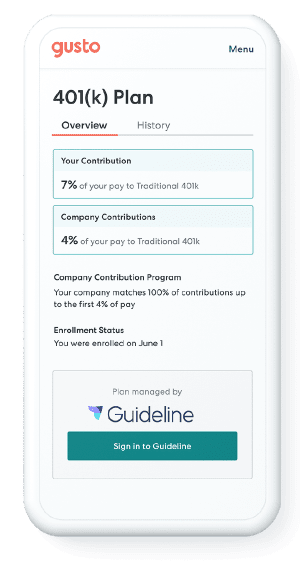
Gusto’s 401(k) offering, powered by Guideline, sets up in about 9 minutes and syncs contributions directly from payroll. Plans start at $49/month plus $6 per active participant. The platform handles automatic enrollment, compliance filings, and provides access to low-cost index funds with expense ratios between 0.058% and 0.061%.
Time Tracking and PTO Management
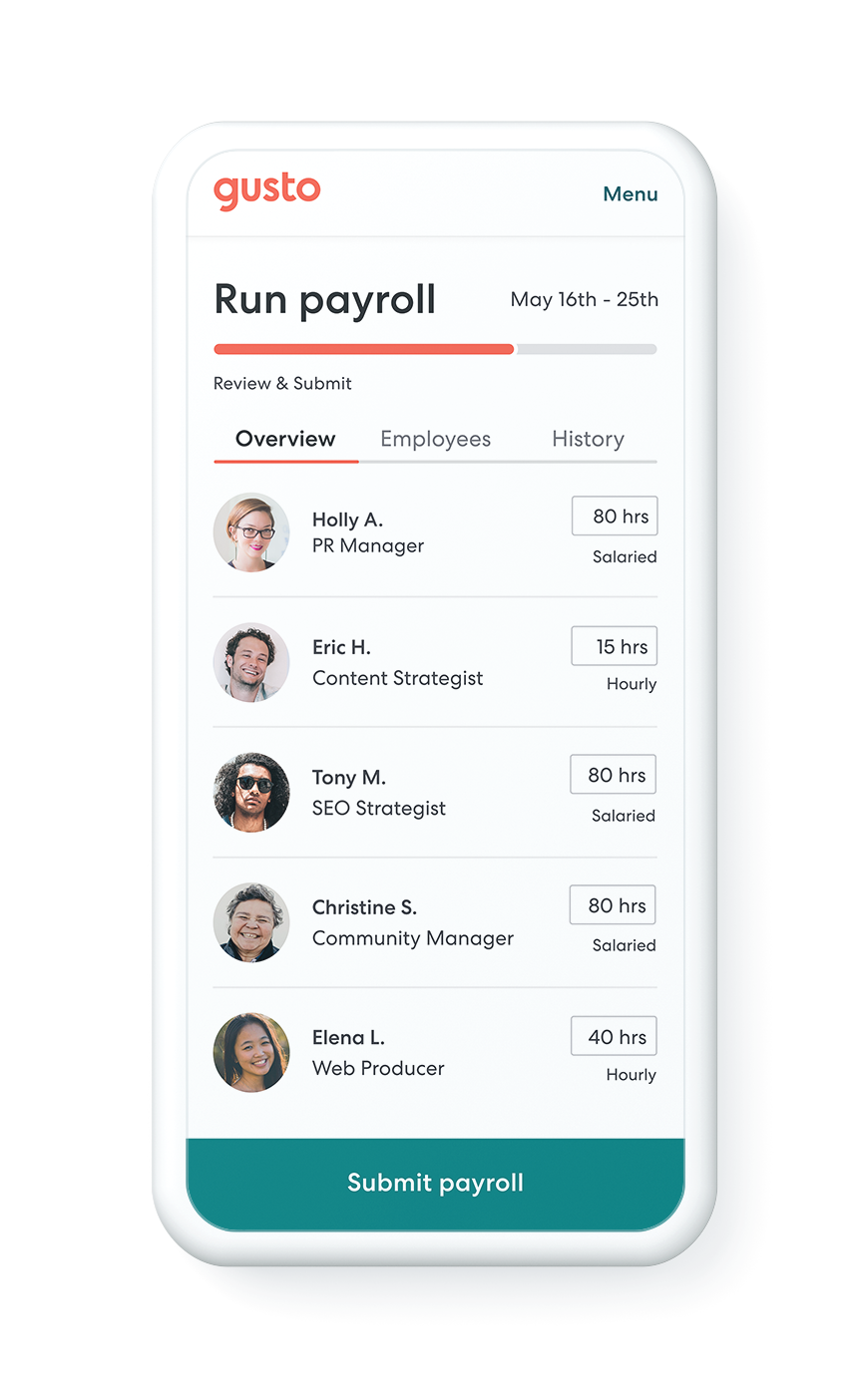
The Plus plan includes time tracking that syncs directly to payroll. Employees clock in and out via mobile app, web portal, or kiosk. Managers approve timesheets, and hours flow automatically into the next payroll run.
PTO accrual rules are customizable by employee, role, or tenure. Employees submit time-off requests through their self-service portal. Managers approve or deny requests, and balances update automatically. The system tracks sick leave, vacation, and custom categories to maintain compliance with state and local laws.
Employee Self-Service Portal
Every employee gets a Gusto account where they can view pay stubs, download W-2s, update direct deposit information, adjust tax withholdings, enroll in benefits, and submit time-off requests. The portal is accessible via web or mobile app (iOS and Android).
Employees can also access the Gusto Wallet app, which provides early access to earned wages, tools to track spending, and options to set aside funds for taxes if they’re contractors.
Onboarding and Compliance
Gusto’s onboarding workflow collects I-9s, W-4s, state tax forms, and direct deposit details electronically. New hires complete onboarding from their phone before their first day. Documents are stored securely and accessible for audits.
For compliance, Gusto handles new hire reporting to state agencies, tracks eligibility for benefits based on hours worked, sends open enrollment reminders, and maintains audit trails for HR decisions.
Where Gusto Stands Out
Unlimited Payroll Runs
Gusto never charges extra for off-cycle payrolls. If you need to run a bonus payment, correction, or severance check between regular pay periods, you can do it at no additional cost. Many competitors charge per payroll run or limit you to a set number per month.
No Per-User Fees for Most Plans
The per-employee cost applies only to active W-2 employees. If you have 15 managers, accountants, and admins who need access to the platform but aren’t on payroll, they don’t add to your bill. This is unusual in the payroll software space, where competitors often charge per user seat.
Transparent Pricing
Gusto publishes its pricing on its website. You know exactly what you’ll pay before you sign up. There are no hidden setup fees, no per-payroll-run charges, and no termination penalties. You can upgrade, downgrade, or cancel at any time.
Built-In Benefits Administration
Most payroll platforms bolt on benefits through third-party partnerships. Gusto builds benefits administration directly into the platform. When an employee enrolls in health insurance or adjusts their 401(k) contribution, the deduction flows automatically into the next payroll run. No manual entries, no exports to separate systems.
Where Gusto Falls Short
Customer Support Quality Is Inconsistent
Gusto’s customer support receives mixed reviews. Some users report fast, helpful responses. Others describe long hold times, especially during tax season, and support agents who struggle with complex payroll scenarios. Premium plan customers get priority support and a dedicated account manager. Simple and Plus users rely on email and chat, with response times that can stretch to 24 hours.
Multi-State Payroll Requires Plus
If you have even one employee in a second state, you need to upgrade from Simple ($49 + $6/person) to Plus ($80 + $12/person). That’s a significant jump. For a 10-person team, your monthly cost goes from $109 to $200.
Direct Deposit Timing on Simple Is Slow
The Simple plan processes direct deposits in up to four business days. If you run payroll on Monday, employees see funds on Friday. Plus and Premium plans offer next-day direct deposit, but that feature is locked behind a higher price tier. For small businesses with tight cash flow, the four-day window on Simple can create friction.
Limited Advanced HR Features
Gusto handles payroll and basic HR well. It does not replace dedicated HR platforms for performance management, applicant tracking, or learning management. The Premium plan includes performance review templates and access to HR advisors, but these are lightweight compared to full HR suites like BambooHR or Rippling.
What Real Users Say
Gusto holds a 4.6 out of 5 rating on both G2 (7,683+ reviews) and Capterra (similar volume). The platform ranks as one of the highest-rated payroll solutions in the small business category.
Common praise: Users consistently highlight ease of use, fast onboarding, automated tax filing, and the ability to run payroll in under 10 minutes. Many reviewers mention switching from ADP or Paychex and saving hours per pay period. The employee self-service portal and mobile app receive positive mentions for reducing HR admin work.
Common complaints: Customer support quality is the most frequent criticism. Users report slow response times during peak periods, difficulty reaching live agents, and inconsistent answers to payroll questions. Some reviewers mention billing errors, particularly related to benefits deductions, and frustration with the four-day direct deposit window on the Simple plan. A smaller subset of reviews cite issues with state tax filings arriving late or requiring manual follow-up.
On Trustpilot, Gusto’s rating is lower at 2.4 out of 5, with complaints focused on account freezes, payment processing delays, and customer service responsiveness. The gap between G2/Capterra and Trustpilot suggests that satisfied users tend to leave reviews on business software platforms, while frustrated users gravitate toward consumer review sites.
Who Should Use Gusto
- Small businesses with 2 to 50 employees who want full-service payroll and benefits without hiring an HR manager
- Startups and growing companies that need unlimited payroll runs and transparent pricing that scales predictably
- Service-based businesses (agencies, consultancies, professional services firms) with straightforward payroll needs and no complex shift scheduling
- Companies consolidating vendors who currently use separate tools for payroll, benefits, time tracking, and onboarding
- Businesses with remote teams in multiple states (on Plus or Premium plans)
- Companies offering 401(k) and health benefits who want administration bundled with payroll
Who Should Not Use Gusto
- Enterprise companies with 100+ employees who need dedicated HR workflows, advanced reporting, and white-glove support
- Businesses requiring instant customer support during payroll processing, especially during tax deadlines
- Companies with complex HR needs like performance management systems, learning management, or applicant tracking beyond basic features
- Businesses needing same-day direct deposit without paying for Plus or Premium plans
- Companies operating internationally or hiring full-time employees outside the U.S. (Gusto’s EOR service is limited and expensive)
- Organizations requiring advanced reporting and analytics beyond standard payroll and tax reports
Gusto vs. Alternatives
| Platform | Best For | Starting Price | Key Difference |
|---|---|---|---|
| Gusto | Small businesses wanting payroll and benefits in one platform | $49/month + $6/employee | Unlimited payroll runs, built-in benefits administration, transparent pricing |
| ADP | Larger businesses needing enterprise-grade payroll and HR | Custom pricing | More expensive but offers dedicated support and advanced HR features |
| Rippling | Companies needing payroll, HR, IT, and device management | $8/employee/month (payroll only) | More modular, better for tech companies, steeper learning curve |
| OnPay | Budget-conscious small businesses | $40/month + $6/employee | Cheaper than Gusto, no tier gating, but fewer integrations |
| Paychex | Businesses with 20+ employees needing full-service support | Custom pricing | Similar to ADP, more hand-holding, clunkier interface |
Quick Pick Guide
- Choose Gusto if you want payroll and benefits in one platform, need unlimited payroll runs, and prefer transparent pricing over custom quotes
- Choose ADP if your team exceeds 100 employees and you need dedicated account management and advanced HR workflows
- Choose Rippling if you need payroll plus IT management (device provisioning, app access control) and want deep integration across HR and IT systems
- Choose OnPay if Gusto’s pricing feels high and you don’t need advanced features like performance reviews or HR advisors
- Choose Paychex if you want more hands-on support than Gusto provides and are willing to pay more for it
Popular Integrations
Gusto integrates with approximately 150 third-party apps across accounting, time tracking, expense management, and HR categories.
Accounting: QuickBooks Online, Xero, FreshBooks, Wave, Sage Intacct
Time Tracking: TSheets (QuickBooks Time), Homebase, Deputy, When I Work
Expense Management: Expensify, Brex, Ramp, Divvy
Project Management: Asana, Monday.com, ClickUp, Basecamp
HR and Recruiting: BambooHR, Greenhouse, Lever, JazzHR
Benefits: Guideline (401k), Zenefits (benefits admin), Namely
Integrations sync data automatically. For example, when you connect QuickBooks Online, Gusto creates journal entries for each payroll run, posts them to your general ledger, and updates payroll liabilities without manual exports.
Frequently Asked Questions
Does Gusto offer a free trial?
Gusto does not offer a traditional free trial. The platform offers a one-month money-back guarantee. If you sign up and decide Gusto isn’t a fit within the first 30 days, you can request a full refund.
How much does Gusto cost for a 15-person company?
On the Simple plan, a 15-person company pays $49 base + (15 x $6) = $139/month. On Plus, the same company pays $80 base + (15 x $12) = $260/month. On Premium, $180 base + (15 x $22) = $510/month.
Is Gusto worth it, or should I use QuickBooks Payroll?
Gusto is better if you want built-in benefits administration, unlimited payroll runs, and transparent pricing. QuickBooks Payroll is better if you’re already deeply invested in the QuickBooks ecosystem and want same-day direct deposit on all plan levels. Gusto integrates with QuickBooks, so you can use both together.
Can Gusto handle multi-state payroll?
Yes, but you need the Plus plan ($80/month + $12/employee) or higher. The Simple plan only supports single-state operations. Gusto handles state tax registrations, filings, and payments automatically on Plus and Premium.
How long does Gusto take to implement?
Most businesses complete onboarding in 1 to 3 days. You enter company information, connect your bank account, add employees, and run your first payroll. Gusto provides step-by-step guidance, and Premium customers get dedicated onboarding support.
Is Gusto’s 401(k) good enough to replace a dedicated provider?
For small businesses, yes. Gusto’s 401(k) (powered by Guideline) handles automatic enrollment, compliance filings, and low-cost index fund investments. Setup takes about 9 minutes, and contributions sync from payroll automatically. If you need more complex plan design or custom investment options, a dedicated 401(k) provider may be better.
Does Gusto integrate with QuickBooks?
Yes. Gusto integrates with both QuickBooks Online and QuickBooks Desktop. Payroll data flows into QuickBooks automatically, creating journal entries and updating your general ledger after each payroll run.
Is Gusto SOC 2 compliant?
Yes. Gusto maintains SOC 2 Type II certification, which means the platform undergoes regular third-party audits for security, availability, and confidentiality. Employee data is encrypted at rest and in transit.
Does Gusto offer a discount for nonprofits or startups?
Gusto occasionally offers promotions for new customers (such as waived base fees for the first few months) but does not have a formal nonprofit or startup discount program. Pricing is the same across all customer types.
What is Gusto’s cancellation policy?
Gusto subscriptions auto-renew monthly until canceled. You can cancel at any time with no termination fees. Your subscription remains active until the end of your current billing period.
Can Gusto replace a dedicated HR platform like BambooHR?
For basic HR tasks (onboarding, PTO tracking, document storage), yes. For advanced HR features (performance management, learning management, succession planning), no. Gusto’s Premium plan includes HR advisors and performance review templates, but these are lighter-weight than full HR platforms.
Is Gusto right for a 5-person startup?
Yes. For a 5-person startup, Gusto Simple costs $79/month ($49 base + 5 x $6). That price includes unlimited payroll runs, automated tax filing, employee self-service, and basic benefits administration. It’s one of the most cost-effective full-service payroll options for very small teams.
Final Verdict
Gusto delivers on its core promise of simple, automated payroll for small businesses. The platform handles tax filing reliably, processes payroll quickly, and bundles benefits administration in a way that eliminates vendor juggling. For companies with 5 to 50 employees operating primarily in one or two states, Gusto is hard to beat on ease of use and transparency.
The 23% price increase in March 2026 tightened the value equation. At $49 base plus $6 per employee, Simple is no longer the cheapest option in the market. OnPay offers similar features at $40 base plus $6 per employee with no tier gating. The decision comes down to whether Gusto’s superior user experience, benefits integration, and brand trust justify the premium.
Customer support remains the platform’s weakest link. If you need fast, reliable answers during payroll processing, especially during tax season, you’ll likely encounter frustration unless you’re on the Premium plan with priority support.
For businesses that value simplicity over advanced features, Gusto remains one of the best choices in the small business payroll category. Just know what you’re getting and what you’re not.
Related Reads
Last updated on May 2, 2026